Sui Indexer
This guide provides instructions to extend the Sui Playground setup by deploying the Sui Indexer, which allows you to index and query on-chain data from your local Sui development environment into a PostgreSQL database. This is essential for building applications that require access to historical blockchain data or real-time updates. This approach was first demonstrated by [REAP] Tapticc who shared their setup in the Sui Discord.
1. Prerequisites
- You will need to make these changes before you complete the steps beyond 2.2 in the Sui Playground guide as we will be modifying the Docker setup used in that guide. You can start the playground first and then stop it before making these changes, but it’s easier to just make the changes first and then start the playground.
- These changes have been tested with
6bc43a15of thebuilder-scaffoldrepository, the changes may well work in later versions.
2. Update files
2.1 Add docker-compose.override.yml
Rather than modify the base compose.yml we just apply an override, docker compose will automatically merge this with the base compose file when you run docker compose commands.
# Adds PostgreSQL indexer and GraphQL support to the Sui dev environment.
# Note: The database is automatically reset on each container start to match
# the --force-regenesis behavior, ensuring blockchain and indexer stay in sync.

services:
  postgres:
    image: docker.io/library/postgres:16
    environment:
      POSTGRES_USER: sui
      POSTGRES_PASSWORD: sui
      POSTGRES_DB: sui_indexer
    volumes:
      - sui-pgdata:/var/lib/postgresql/data
    healthcheck:
      test: ["CMD-SHELL", "pg_isready -U sui -d sui_indexer"]
      interval: 2s
      timeout: 3s
      retries: 30

  sui-dev:
    depends_on:
      postgres:
        condition: service_healthy
    environment:
      # consumed by entrypoint.sh to wire indexer to Postgres
      SUI_INDEXER_DB_URL: postgres://sui:sui@postgres:5432/sui_indexer
    ports:
      # add GraphQL exposure without changing your base compose
      - "9125:9125"

volumes:
  sui-pgdata:
2.2 Update Dockerfile
The PostgreSQL client is needed in the container to run database migrations, and the Sui Indexer binary needs to be copied into the container. Add the following lines to the Dockerfile after dos2unix \ on Line 11:
postgresql-client \2.3 Update entrypoint.sh
Before # ---------- start local node ---------- add the following lines to wait until Postgres is available, reset the database to match the --force-regenesis behavior, and ensure blockchain and indexer state stay synchronized:
# ---------- wait for postgres ----------
if [ -n "${SUI_INDEXER_DB_URL:-}" ]; then
  echo "[sui-dev] Waiting for Postgres to be ready..."
  POSTGRES_READY=0
  for i in {1..60}; do
    if pg_isready -d "$SUI_INDEXER_DB_URL" >/dev/null 2>&1; then
      echo "[sui-dev] Postgres is ready."
      POSTGRES_READY=1
      break
    fi
    sleep 1
  done

  if [ "$POSTGRES_READY" -ne 1 ]; then
    echo "[sui-dev] ERROR: Postgres did not become ready" >&2
    exit 1
  fi

  # Reset database to match --force-regenesis behavior
  echo "[sui-dev] Resetting indexer database to match fresh blockchain state..."
  DB_NAME=$(echo "$SUI_INDEXER_DB_URL" | sed -n 's|.*/\([^/?]*\).*|\1|p')
  DB_BASE_URL=$(echo "$SUI_INDEXER_DB_URL" | sed 's|/[^/]*$|/postgres|')

  psql "$DB_BASE_URL" -c "DROP DATABASE IF EXISTS $DB_NAME;" 2>/dev/null || true
  psql "$DB_BASE_URL" -c "CREATE DATABASE $DB_NAME;" 2>/dev/null
  echo "[sui-dev] Indexer database reset complete."
fi
Change the sui start command (around line 42) to conditionally start with indexer support:
if [ -n "${SUI_INDEXER_DB_URL:-}" ]; then
  sui start --with-faucet --force-regenesis --with-indexer="$SUI_INDEXER_DB_URL" --with-graphql=0.0.0.0:9125 &
else
  sui start --with-faucet --force-regenesis &
fi
In the next loop change the number of attempts from 30 to 60 to give more time for the indexer to initialize:
echo "[sui-dev] Waiting for RPC on port 9000..."
for i in $(seq 1 60); do
  curl -s -o /dev/null http://127.0.0.1:9000 2>/dev/null && break
  if [ "$i" -eq 60 ]; then
    echo "[sui-dev] ERROR: RPC did not become ready" >&2
    kill $NODE_PID 2>/dev/null || true
    exit 1
  fi
  sleep 1
done
Add an extra few seconds delay after the RPC is available to give the indexer time to initialize and connect to the node before we attempt to run any commands that require it:
echo "[sui-dev] RPC responding, waiting for full initialization..."
sleep 5
echo "[sui-dev] Node ready."
2.4 Important Notes
- The indexer database is automatically reset on each container start to match the
--force-regenesisbehavior, ensuring the blockchain and indexer state stay synchronized. - The conditional startup logic means the container works both with and without the indexer configuration.
The full diff is below:
diff --git a/docker/scripts/entrypoint.sh b/docker/scripts/entrypoint.sh
index 54a2a1e..222373d 100644
--- a/docker/scripts/entrypoint.sh
+++ b/docker/scripts/entrypoint.sh
@@ -37,24 +37,67 @@ EOF
   echo "[sui-dev] Keys created."
 fi

+# ---------- wait for postgres ----------
+if [ -n "${SUI_INDEXER_DB_URL:-}" ]; then
+  echo "[sui-dev] Waiting for Postgres to be ready..."
+  POSTGRES_READY=0
+  for i in {1..60}; do
+    if pg_isready -d "$SUI_INDEXER_DB_URL" >/dev/null 2>&1; then
+      echo "[sui-dev] Postgres is ready."
+      POSTGRES_READY=1
+      break
+    fi
+    sleep 1
+  done
+
+  if [ "$POSTGRES_READY" -ne 1 ]; then
+    echo "[sui-dev] ERROR: Postgres did not become ready" >&2
+    exit 1
+  fi
+
+  # Reset database to match --force-regenesis behavior
+  echo "[sui-dev] Resetting indexer database to match fresh blockchain state..."
+  DB_NAME=$(echo "$SUI_INDEXER_DB_URL" | sed -n 's|.*/\([^/?]*\).*|\1|p')
+  DB_BASE_URL=$(echo "$SUI_INDEXER_DB_URL" | sed 's|/[^/]*$|/postgres|')
+
+  psql "$DB_BASE_URL" -c "DROP DATABASE IF EXISTS $DB_NAME;" 2>/dev/null || true
+  psql "$DB_BASE_URL" -c "CREATE DATABASE $DB_NAME;" 2>/dev/null
+  echo "[sui-dev] Indexer database reset complete."
+fi
+
 # ---------- start local node ----------
 echo "[sui-dev] Starting local Sui node..."
-sui start --with-faucet --force-regenesis &
+if [ -n "${SUI_INDEXER_DB_URL:-}" ]; then
+  sui start --with-faucet --force-regenesis --with-indexer="$SUI_INDEXER_DB_URL" --with-graphql=0.0.0.0:9125 &
+else
+  sui start --with-faucet --force-regenesis &
+fi
 NODE_PID=$!
 trap 'kill "$NODE_PID" 2>/dev/null || true' EXIT

 echo "[sui-dev] Waiting for RPC on port 9000..."
-for i in $(seq 1 30); do
+for i in $(seq 1 60); do
   curl -s -o /dev/null http://127.0.0.1:9000 2>/dev/null && break
-  if [ "$i" -eq 30 ]; then
+  if [ "$i" -eq 60 ]; then
     echo "[sui-dev] ERROR: RPC did not become ready" >&2
     kill $NODE_PID 2>/dev/null || true
     exit 1
   fi
   sleep 1
 done
-sleep 2
-echo "[sui-dev] RPC ready."
+echo "[sui-dev] RPC responding, waiting for full initialization..."
+sleep 5
+echo "[sui-dev] Node ready."

 # ---------- fund accounts ----------
 printf 'y\n' | sui client switch --env localnet 2>/dev/null || true
3. Continue with the Playground setup
The rest of the steps are the same as the normal playground setup, just with the new files in place. You can follow the instructions in the Sui Playground guide starting from Step 3.1.
4. Using the Indexer and GraphQL API
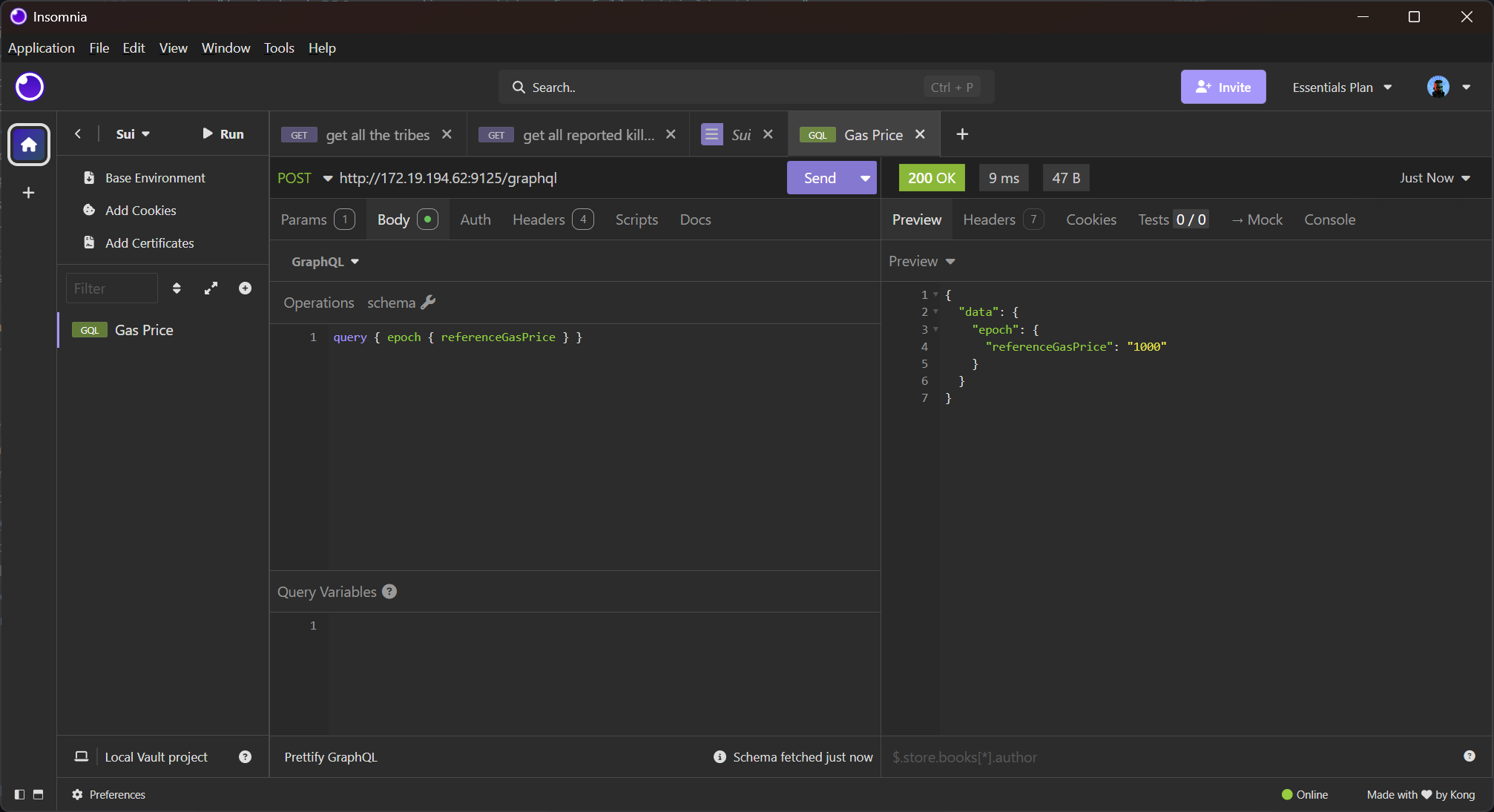
Once your playground is running with the indexer, the GraphQL endpoint is available at http://localhost:9125. You can use GraphQL clients like Altair or Insomnia to interact with the API.
4.1. Example GraphQL Queries
Query the chain identifier:
curl -X POST http://localhost:9125 \
  -H "Content-Type: application/json" \
  -d '{"query": "{ chainIdentifier }"}'
Query the current epoch and reference gas price:
curl -X POST http://localhost:9125 \
  -H "Content-Type: application/json" \
  -d '{"query": "{ epoch { referenceGasPrice } }"}'
You can explore the GraphQL schema to find more queries and mutations to interact with the indexed data.
4.2. Insomnia Queries
You can query using a GraphQL client like Insomnia. Here is an example queries you can run against the GraphQL API:
4.3. Sui Scan
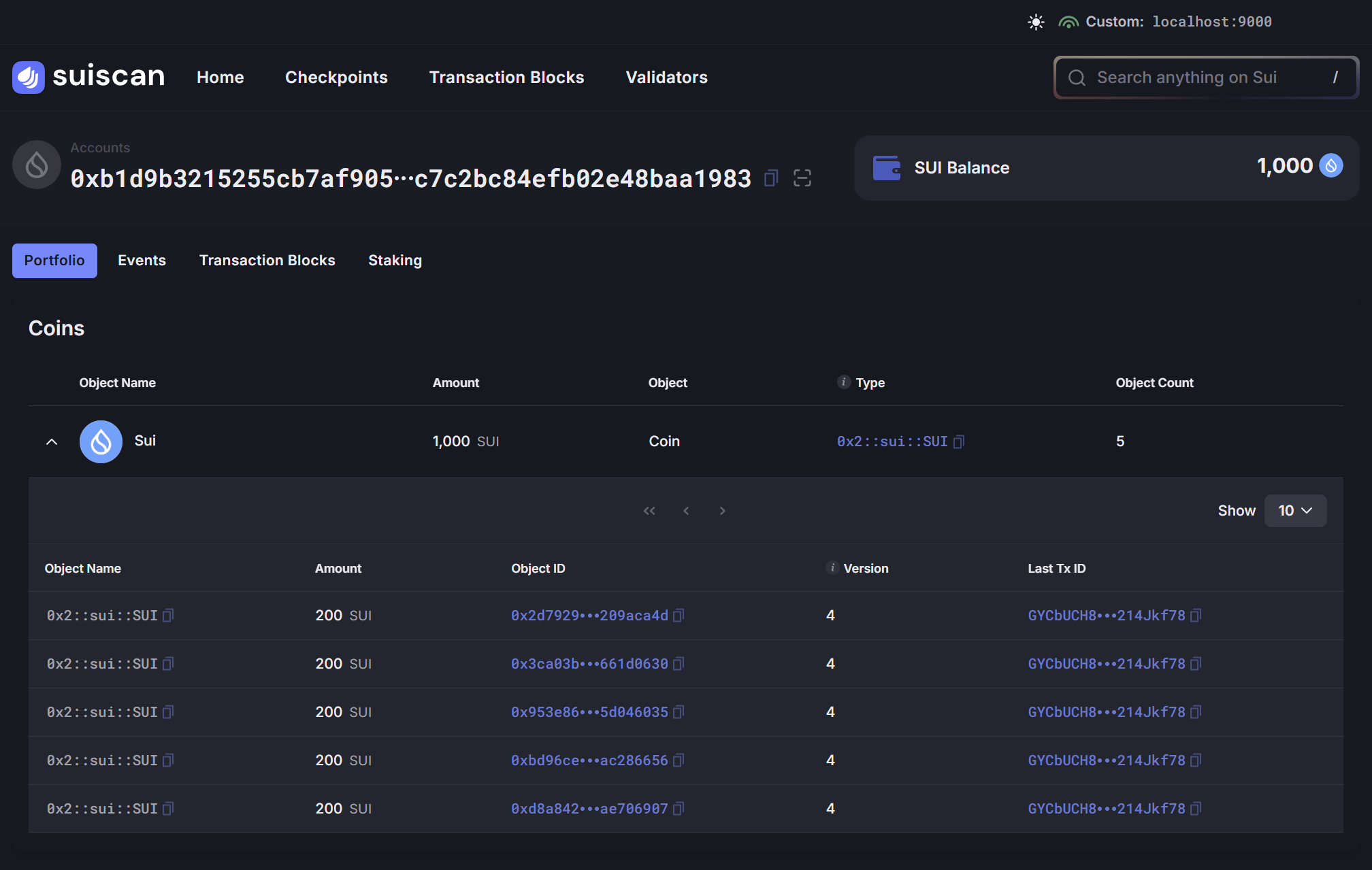
You can also use the Sui Scan tool to explore the indexed data in a more user-friendly way. To connect Sui Scan to your local indexer visit Sui Scan and click “Mainnet” in the top right to open the network selection dropdown, under Custom Nodes enter http://localhost:9000/.
The following URL should also work:
https://custom.suiscan.xyz/custom/home/?network=http%3A%2F%2Flocalhost%3A9000